

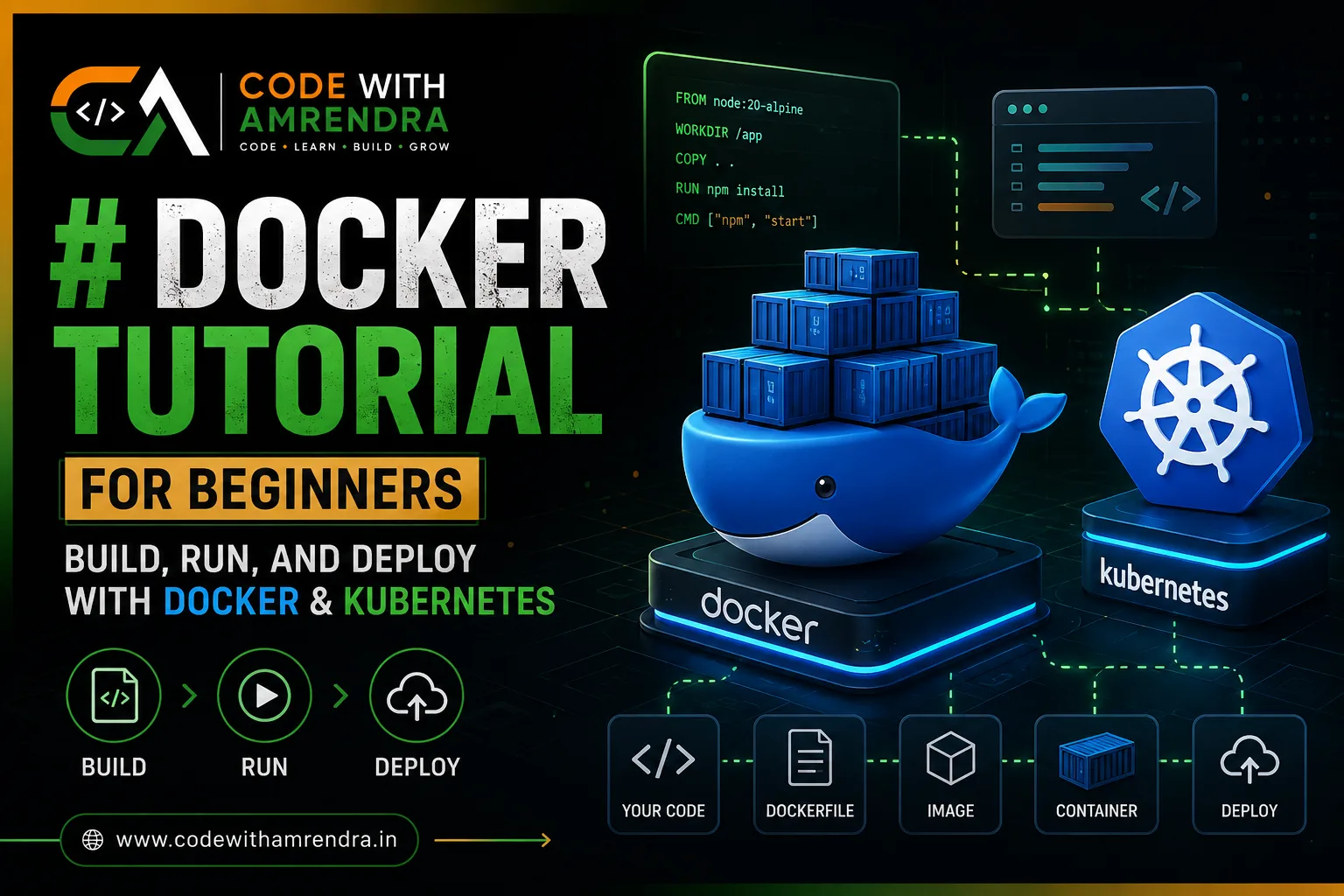
Docker packages your code and everything it needs into one container, so it runs the same on any machine. You can run C, Python, or any language inside it with a single Dockerfile. Once you have more than 3-4 containers running in production,kubernetes deployment takes over to deploy, restart, and scale them automatically that's the real difference between the two.
What Is Docker and Why Developers Use It
Docker puts your application, its libraries, and its settings into one package called a container. That container runs the same way on your laptop, your teammate's laptop, and your production server. No more "it works on my machine" arguments.
Three reasons teams adopt Docker early:
-
Consistency : the container carries its own OS-level dependencies, so version mismatches disappear.
-
Speed: a container starts in seconds, unlike a full virtual machine.
-
Isolation: one container crashing doesn't take down everything else on the host.
If you're building anything beyond a single script, a React frontend, a Node API, or a full SaaS backend, Docker is usually the first infrastructure decision you make, well before you touch AWS infrastructure or CI/CD.
How to Run C Code on Docker (Step by Step)
People assume Docker is only for web apps. It isn't. Any compiled language, including C, can run inside a container. Here's the minimal setup.
Step 1: Create your C file : main.c
#include \<stdio.h>

int main() {
    printf("Hello from inside Docker!\n");
    return 0;
}
Step 2: Write a Dockerfile
FROM gcc:latest
WORKDIR /app
COPY main.c .
RUN gcc -o main main.c
CMD \["./main"]
Step 3: Build the image
docker build -t c-hello-world .
Step 4: Run the container
docker run c-hello-world
That's it, four simple commands, and your C program runs inside an isolated container. This same pattern works for compiling and testing legacy C/C++ codebases without installing compilers directly on your machine, which is a common ask from teams doing embedded or systems-level work.
Docker Tutorial PDF: What You Actually Need Instead
A lot of people search for a "Docker tutorial PDF" hoping for a static cheat sheet they can keep open while working. The problem: Docker's CLI and Compose syntax update often enough that a PDF from even a year ago can already show deprecated flags.
What works better in practice:
-
Bookmark the official Docker CLI reference and treat it as your live cheat sheet instead of a downloaded file.
-
Keep a personal
commands.mdfile in your own repo with just the 15-20 commands you actually use (build,run,exec,logs,compose up, etc.) this becomes more useful than any generic PDF because it's specific to your workflow. -
If you genuinely want an offline reference, print your own
commands.mdto PDF once you've built it it'll be more accurate than most public ones.
**Kubernetes for Dummies: The Core Idea **
Docker runs one container well. Kubernetes exists for the moment you have many containers across many servers and need someone (or something) to manage them.
Think of Kubernetes as a manager that constantly asks: "Is the app still running the way I was told it should?" If a container crashes, Kubernetes restarts it. If traffic spikes, it can add more copies. If a server dies, it moves the containers elsewhere.
Four terms to know before anything else:
| Term | What it means in plain words |
| Pod | The smallest unit usually one container wrapped with networking info |
| Deployment | A rule that says "always keep N copies of this pod running" |
| Service | A stable address so other parts of your app can find your pods |
| Cluster | The group of servers (nodes) Kubernetes manages together |
Kubernetes Deployment: A Working Example
Here's a minimal deployment file for an app already packaged as a Docker image.
apiVersion: apps/v1
kind: Deployment
metadata: name: my-app-deployment

spec: replicas: 3

  selector:
  matchLabels:
  app: my-app
  template:
  metadata:
 labels:
app: my-app
spec:
containers: - name: my-app
image: my-registry/my-app:latest
ports- containerPort: 3000
Apply it with:
kubectl apply -f deployment.yaml
This tells Kubernetes: "Always keep 3 copies of my-app running, using this exact image." If one copy crashes, Kubernetes replaces it without anyone getting paged at 2 AM. This is also the layer where a proper CI/CD and DevOps setup pays for itself deployments like this get triggered automatically instead of run by hand.
Docker vs Kubernetes: Side-by-Side
| Docker | Kubernetes | |
| What it does | Packages and runs one app in a container | Manages many containers across many servers |
| Scale | Great for local dev, single-server apps | Built for production apps needing auto-scaling |
| Learning curve | A few hours to get comfortable | Days to weeks to get comfortable |
| Do you need it on day 1? | Almost always, yes | Only once you outgrow a single server |
You don't choose one over the other Kubernetes runs Docker (or a similar container runtime) underneath. Docker is the packaging; Kubernetes is the orchestration.
Hidden Costs and Common Mistakes
-
Running Kubernetes before you need it. A single EC2 instance running Docker Compose can comfortably handle early-stage traffic. Kubernetes adds real operational overhead don't adopt it just because it's trendy.
-
Oversized container images. Using a full OS base image instead of an
-alpineor-slimvariant can 5-10x your image size and slow every deployment. -
No resource limits in Kubernetes. Skipping
resources.limitsin your deployment YAML means one misbehaving pod can starve the whole node. -
Storing secrets in the Dockerfile. API keys baked into an image layer stay there forever, even after you "remove" them in a later line use environment variables or a secrets manager instead.
-
Ignoring image versioning. Using the
latesttag in production makes rollbacks painful because you can't be sure which exact code is running.
Docker Architecture: From Code to Kubernetes
Understanding how Docker fits into a modern application workflow becomes much easier when you look at the complete flow.
Your Code

   ↓
Dockerfile
   ↓
Docker Image
   ↓
Docker Container
   ↓
Running Application
   ↓
Kubernetes
   ↓
Multiple Containers / Servers
Here's what happens at each stage:
1. Your Code
This is your application source code, such as a C program, Node.js API, Python application, or React-based service.
2. Dockerfile
The Dockerfile contains instructions for building your application's environment. It defines the base image, dependencies, files, commands, and startup process.
For example:
FROM gcc:latest
WORKDIR /app
COPY main.c .
RUN gcc -o main main.c
CMD \["./main"]
3. Docker Image
Docker uses the Dockerfile to create an image.
Think of an image as a blueprint containing everything required to run your application.
Dockerfile
    ↓

Docker Image
The image can then be stored in a container registry and used on different machines.
4. Docker Container
A container is a running instance of a Docker image.
Docker Image
    ↓
Docker Container
The container provides an isolated environment where your application can run consistently across development, testing, and production.
5. Running Application
Once the container starts, your application runs inside it. For example:
docker run c-hello-world
At this point, Docker is handling the packaging and execution of your application.
6. Kubernetes
When an application grows and you need to manage containers across multiple machines, Kubernetes can take over the orchestration layer. Kubernetes can help with tasks such as:
-
Keeping containers running
-
Scaling application replicas
-
Service discovery
-
Rolling deployments
-
Restarting failed containers
-
Distributing workloads across nodes
Docker Image
     ↓
Container 1
Container 2
Container 3
     ↓
Kubernetes
     ↓
Multiple Servers / Nodes
The Simple Mental Model
The easiest way to remember the relationship is:Docker builds and runs containers. Kubernetes orchestrates containers at scale. You don't necessarily need Kubernetes just because you're using Docker. Start with Docker and Docker Compose for simpler applications, then consider Kubernetes when your infrastructure and operational requirements justify the additional complexity.
Conclusion
Docker and Kubernetes solve two different problems, and mixing them up is where most beginners get stuck. Docker's job is simple: package your app C code, a Node API, anything so it runs the same way everywhere. Kubernetes' job only starts once you have enough of those containers that a human can't babysit them by hand anymore.
Start with Docker on day one. Get comfortable building images, running containers, and writing a clean Dockerfile. Reach for Kubernetes only when a single server and Docker Compose genuinely stop being enough not before. That order keeps your infrastructure as simple as it can be at every stage, which is the actual goal, not "using the trendiest tool."