

Disclosure: I'm a developer who works with React, Next.js and AI agents, and I offer AI & automation services, so I have a business interest in this topic. AI tools helped with research and drafting; I reviewed and edited everything before publishing. The code below is a minimal sketch that I checked with a stubbed model, not a live LLM. Figures are as of October 2026 and may change.
Quick Summary
To learn how to build your own personal AI agent, you need to connect an LLM to a loop, a few allow-listed tools and two types of memory. Approval gates, a step limit and a test set complete the picture. A first version uses about 40 lines of Python plus one workflow that wastes your time, but not a do-everything assistant.
Key Highlight
- An agent is an LLM plus tools plus memory, running inside a loop.
- A solid architecture has six layers: interface, orchestrator, model, tools, memory and monitoring.
- Keep permissions in code, never in the prompt.
- Gartner forecasts that over 40% of agentic AI projects will be cancelled by the end of 2027, citing cost, unclear value and weak risk controls (as cited by tecHindustan).
- Test whether the task got done, not whether the reply sounds good.
- Who should read this: developers building an agent for themselves. Skip it if a no-code automation already does the job.
What Is a Personal AI Agent?
A personal AI agent is software that uses an LLM to work toward a goal for one person. It picks the next step, calls tools like your calendar or notes, checks the result, then finishes or asks you.
While researching this post, I read four guides, from a LangChain walkthrough to a household setup on Zyte's blog. They agree on one point, and so do I: the model is not the hard part. The loop around it is.
My take: if fixed steps solve your problem, build a workflow, not an agent. Jason Cyr's write-up draws the same line. A workflow follows steps you wrote; an agent chooses them. Teams care because agents now replace whole software seats, which I covered in why AI agents are replacing SaaS seats.
How to Build a Personal AI Agent in 6 Steps
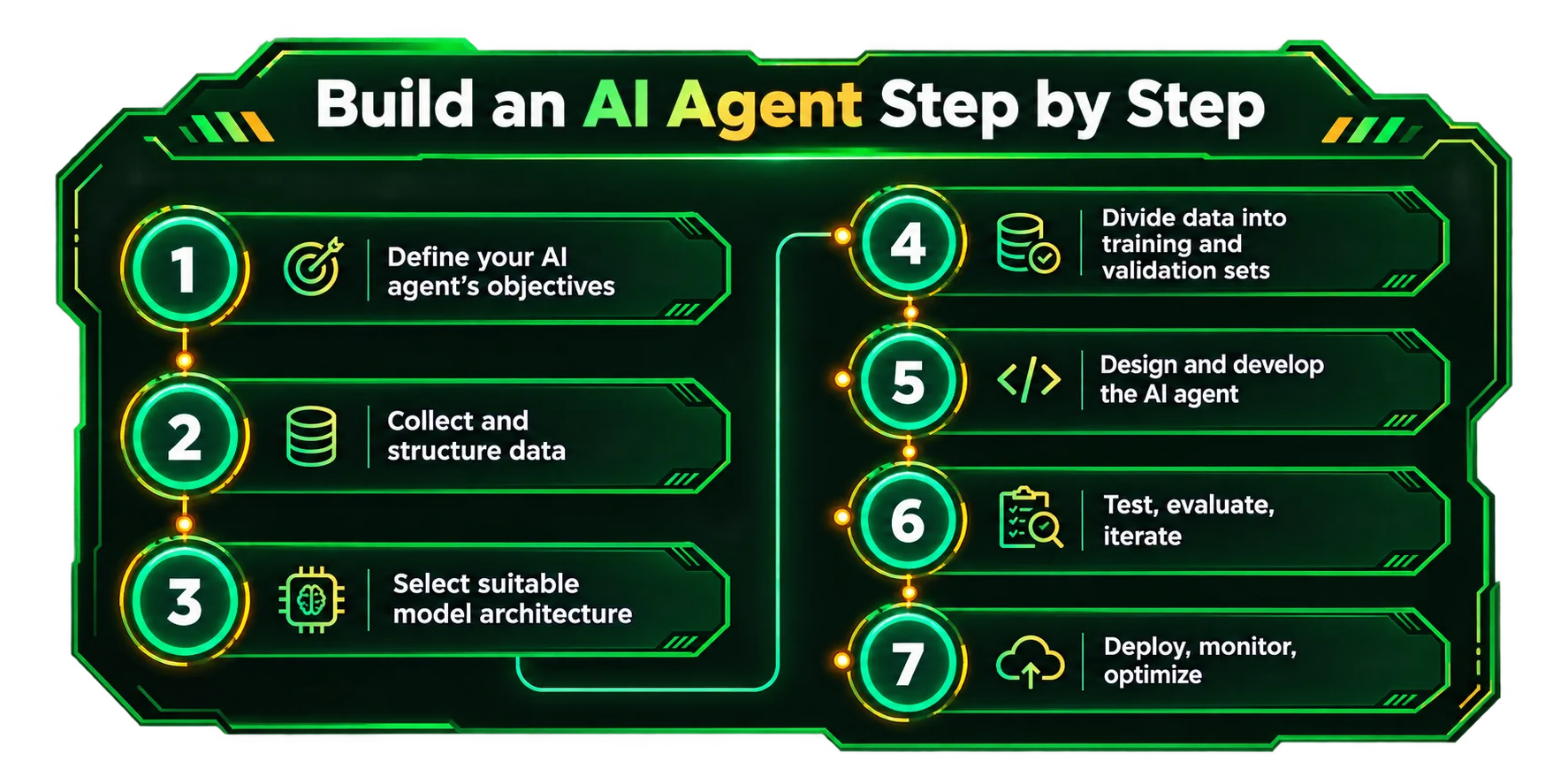
Building a personal AI agent doesn't mean you need a complex architecture or multiple AI models from day one. The best approach is to start with a small, useful task and gradually add the features your agent actually needs.
Here are six steps I would follow to build a personal AI agent from scratch.
Step 1: Choose a Specific Problem to Solve
Begin by defining a task that your AI agent can perform. Annotate one of your current processes, like organizing emails, summarizing pertinent documents, or maintaining a daily task list. Avoid constructing an all-in-one agent, instead specify a goal and determine what would constitute a successful execution of that goal.
For example, if you are building a personal email agent, you may decide to focus on one specific task such as categorizing and replying to emails for your review.
Step 2: Choose an LLM That Supports Tool Calling
Once you have a use case in mind, begin by selecting a large language model (LLM) that offers tool or function calling.
This means your LLM can ask your application to perform certain tasks, such as retrieving information from an API or database. The model will then use the returned information to generate a response.
The next step is to pick one model and see if it can do what you need it to do. You can always compare multiple models based on accuracy, speed, and cost later on if you have to.
Step 3: Build the Agent's Core Loop
The core loop connects the language model with the tools your application provides. It allows the agent to work through a task instead of generating a single response and stopping.
A basic agent loop follows this process:
- Send the user's request to the LLM.
- Check whether the model returns a response or requests a tool.
- Execute the requested tool if it is permitted.
- Send the tool's result back to the model.
- Repeat the process until the task is complete or a safety limit is reached.
For example, an agent asked to summarize recent emails might first request the email-fetching tool, review the returned messages, and then generate a summary.
Always set limits on the number of iterations and handle tool errors. Without these controls, the agent could get stuck repeating actions or consuming unnecessary resources.
Step 4: Add a Few Focused Tools
Tools give your AI agent access to information and actions beyond the language model itself.
You should begin by identifying two or three different tools that are relevant to the work that your AI agent will do.
Depending on your use case, you may need to provide a search function, access to a database, or access to a calendar, among other options.
The specific functions that you’ll want your AI agent to perform should be clear: for example, you may want a tool called search_emails that searches for relevant messages, but that does not delete or reply to emails.
It’s best to keep tools as focused as possible, in order to make testing, debugging, and security easier. You should only add additional capabilities if you truly need them.
Step 5: Add Memory for Information Worth Keeping
Without memory, an agent may lose useful context between conversations or repeated tasks. A memory system helps it retain relevant information and retrieve it when needed.
Start with a simple approach: store explicit user preferences, important facts, and information the agent needs across sessions. For example, an email assistant might remember your preferred writing tone or the format you use for professional replies.
You don't necessarily need a vector database or a complicated retrieval system at the beginning. A structured database may be enough for storing known facts and preferences.
Be deliberate about what gets saved. Give users control over stored information, avoid retaining unnecessary sensitive data, and distinguish verified facts from temporary conversation context.
Step 6: Add Guardrails and Test Before Expanding
Before giving your agent more responsibilities, make sure it behaves as expected under normal and unexpected conditions.
Test realistic scenarios, including missing information, invalid tool inputs, API failures, repeated tool calls, and requests outside the agent's intended scope.
You should also define which actions the agent can perform independently and which require human approval. Reading information may be low-risk, while sending an email, deleting a file, or making a purchase could have real consequences.
Track task success, tool errors, response time, and API costs. Use the results to identify weaknesses and improve the system before adding new features.
Personal AI Agent Architecture: The Six Layers
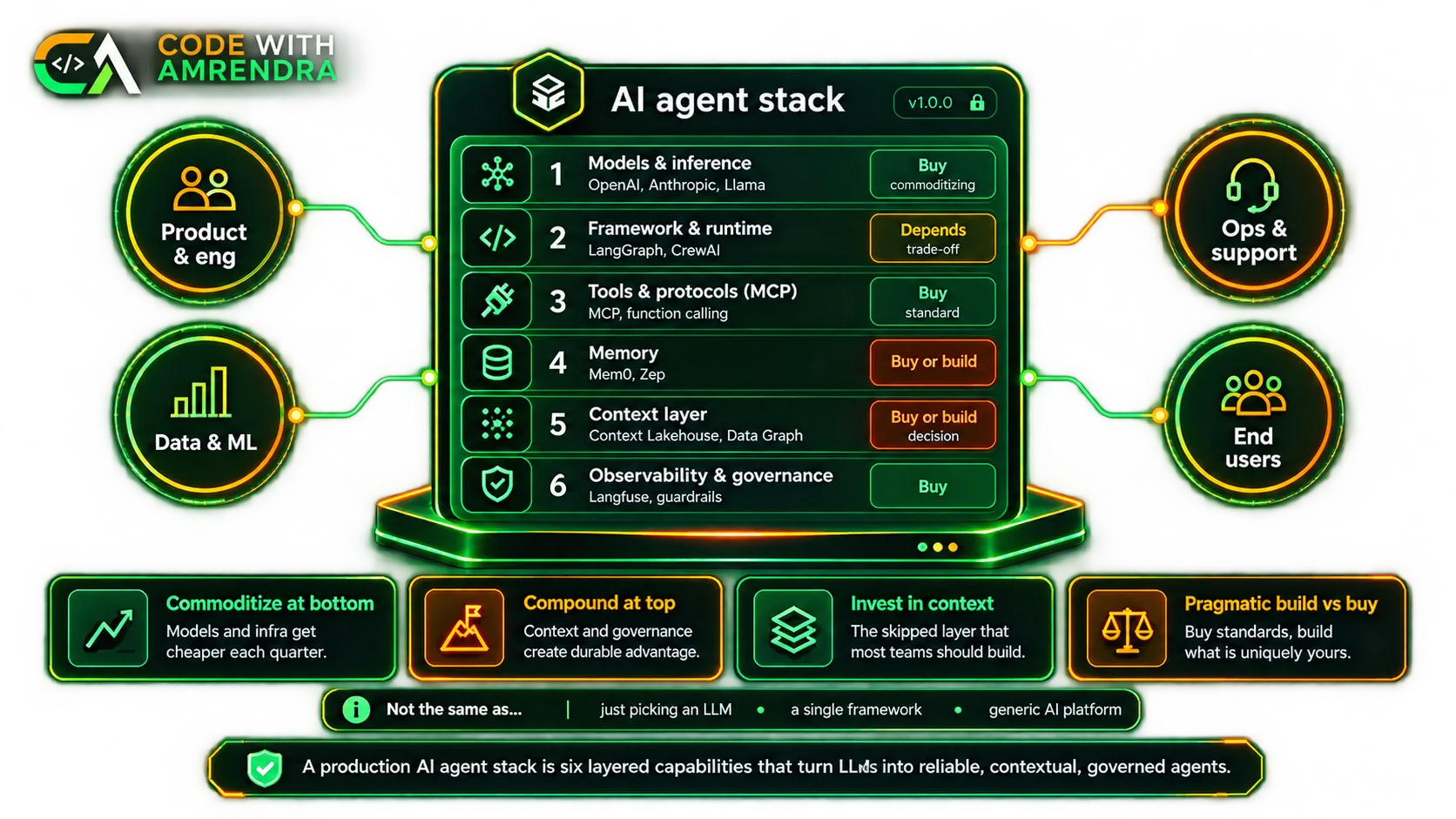
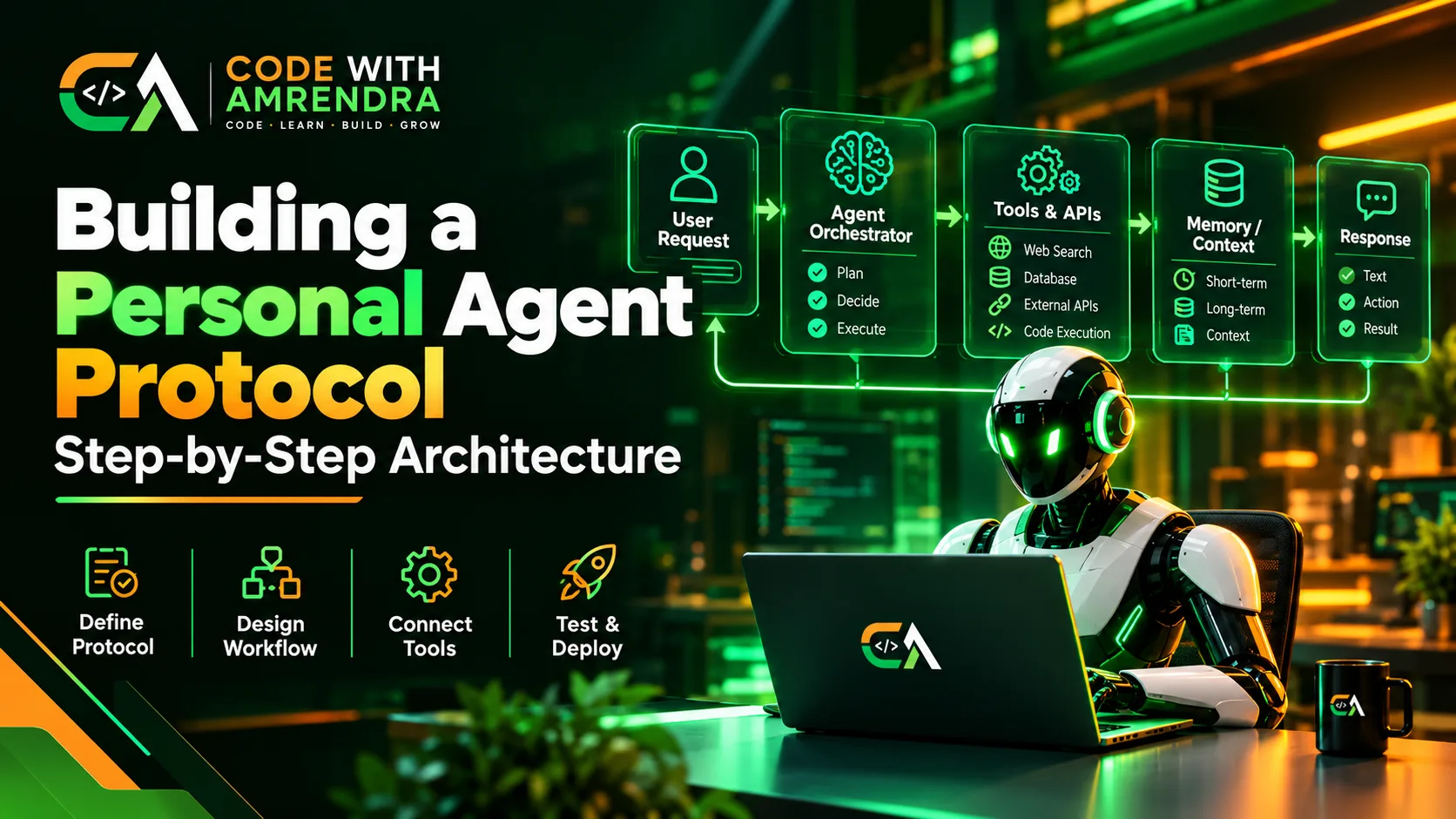
An LLM agent architecture is a stack where each layer has one job. Here is the diagram I sketch before writing any code:
You (Telegram / web chat / CLI)
            │
   Orchestrator ── step limit, approvals, allow-list
            │
   LLM ── reasons, proposes the next action
      │                    │
 Tools & APIs        Memory (short + long term)
            │
   Logs & evals ── traces, cost per task
The same table answers "what components does an AI agent need?"
| Component | Its job | Beginner choice |
|---|---|---|
| Interface | Where requests start | Telegram bot or web chat |
| Orchestrator | Runs the loop, enforces rules | About 40 lines of Python |
| LLM | Reasoning and tool choice | One hosted model |
| Tools | Real actions | Two or three functions |
| Memory | Continuity across sessions | JSON file, later a vector DB |
| Monitoring | See what happened | Log every step |
How AI Agent Memory Works
An AI agent memory system has two components. The first consists of the short-term memory, which is formed by the current conversation and passed to the model with each request. The second component is long-term memory, which is stored in another file or database and is accessed when necessary.
The example of the author’s expectations demonstrates that she would only like to save the information concerning her likes and dislikes, while private information like passwords and journal entries should be excluded. Thus, it is possible to identify the information that should not be stored in long-term memory.
How AI Agents Use Tools and APIs
Tool calling lets the model ask for an action. Your code decides whether to run it. This is the core of my starter loop:
import json, pathlib

MEMORY = pathlib.Path("memory.json")          # long-term memory (facts only)
ALLOWED = {"get_time": lambda: "10:30", "save_note": None}
NEEDS_APPROVAL = {"save_note"}                # a human must confirm these
MAX_STEPS = 6                                 # hard stop against loops

def load_memory():
    return json.loads(MEMORY.read_text()) if MEMORY.exists() else []

def save_note(text):
    MEMORY.write_text(json.dumps(load_memory() + [text]))
    return "saved"
ALLOWED["save_note"] = save_note

def run_tool(name, args, approve):
    if name not in ALLOWED:                   # code decides, not the model
        return "error: tool not allowed"
    if name in NEEDS_APPROVAL and not approve(name, args):
        return "error: human declined"
    return ALLOWED[name](**args)

def agent(goal, llm, approve=lambda n, a: input(f"Allow {n}{a}? y/n ") == "y"):
    messages = [{"role": "system", "content": "Known facts: " + "; ".join(load_memory())},
                {"role": "user", "content": goal}]
    for _ in range(MAX_STEPS):
        reply = llm(messages)                 # {"tool":..,"args":..} or {"answer":..}
        if "answer" in reply:
            return reply["answer"]
        result = run_tool(reply["tool"], reply["args"], approve)
        messages.append({"role": "tool", "content": str(result)})
    return "stopped: step limit reached"
Plug in your provider's tool-calling API as llm. For ready-made connectors, the Model Context Protocol (MCP) lets you reuse tools across frameworks. Per tecHindustan, Anthropic donated MCP to the Linux Foundation's Agentic AI Foundation in December 2025.
Which Build Path Should You Pick?
Pick the simplest path that fits your workflow. Effort figures are my rough estimates, not benchmarks.
| Path | Best for | Control | Effort | Main risk |
|---|---|---|---|---|
| No-code workflow (n8n, Make, Zapier) | Fixed steps, fast start | Low | Hours | Breaks when steps vary |
| Vendor SDK + small custom loop | Most personal agents | High | 1–2 days | You own the glue code |
| Framework (LangGraph, LangChain) | Long, stateful flows with approvals | High | Several days | More design up front |
| From scratch, no libraries | Learning, full control | Total | Longer | You rebuild what frameworks give |
How to Secure a Personal AI Agent
A personal AI agent may have access to your emails, files, APIs, and other services – which is why you should consider security at the design level. The OWASP Top 10 for Agentic Applications deals with such issues as goal hijacking and abuse of tools or privilege. Here are 5 practices that may help address these problems.
- Follow the principle of least privilege: Give your agent only the permissions it needs. Start with read-only access and enable write permissions only when required.
- Require approval for sensitive actions: Actions such as sending emails, deleting files, or making payments should require human approval. Use an allow-list to control which tools your agent can access.
- Treat external content as untrusted: Emails, web pages, and third-party skills may contain hidden instructions designed to manipulate your agent. Review external tools before using them and validate every requested action.
- Protect API keys and secrets: Store credentials in environment variables or a secrets manager. Never hardcode API keys into source code or include them in prompts where they could be exposed.
- Run the agent in a sandbox: If your agent executes code or accesses local files, use a properly configured Docker container or virtual machine. Restrict filesystem access, network permissions, and system privileges.
The goal is to give your agent enough access to complete its tasks without allowing it to make unrestricted changes to your system or accounts.
How to Test an AI Agent
Testing an AI agent is about checking whether it completes tasks correctly, not just whether its responses sound convincing. Start with 10–20 realistic tasks and define the expected result for each one. After every significant change, run the tests again and track task completion, incorrect tool calls, steps per task, and cost.
You can also use a mock model to test your safety controls. For example, check whether the agent blocks unauthorized tools, requires approval before making changes, and stops when it reaches its step limit. These tests help verify that your guardrails work as intended.
However, mock tests cannot tell you how well a real language model performs. Test the agent with a real LLM and representative tasks before relying on it in practice. Record the results and fix recurring failures before adding more features.
Conclusion
Building a personal AI agent doesn't have to start with a complex system. Focus on one workflow, keep your tools limited, store only useful information in memory, and enforce permissions in your code. Start with a small implementation, test it against real tasks, and improve it based on the results.
If you're looking to build AI-powered features for your product, explore our AI Automation Services.
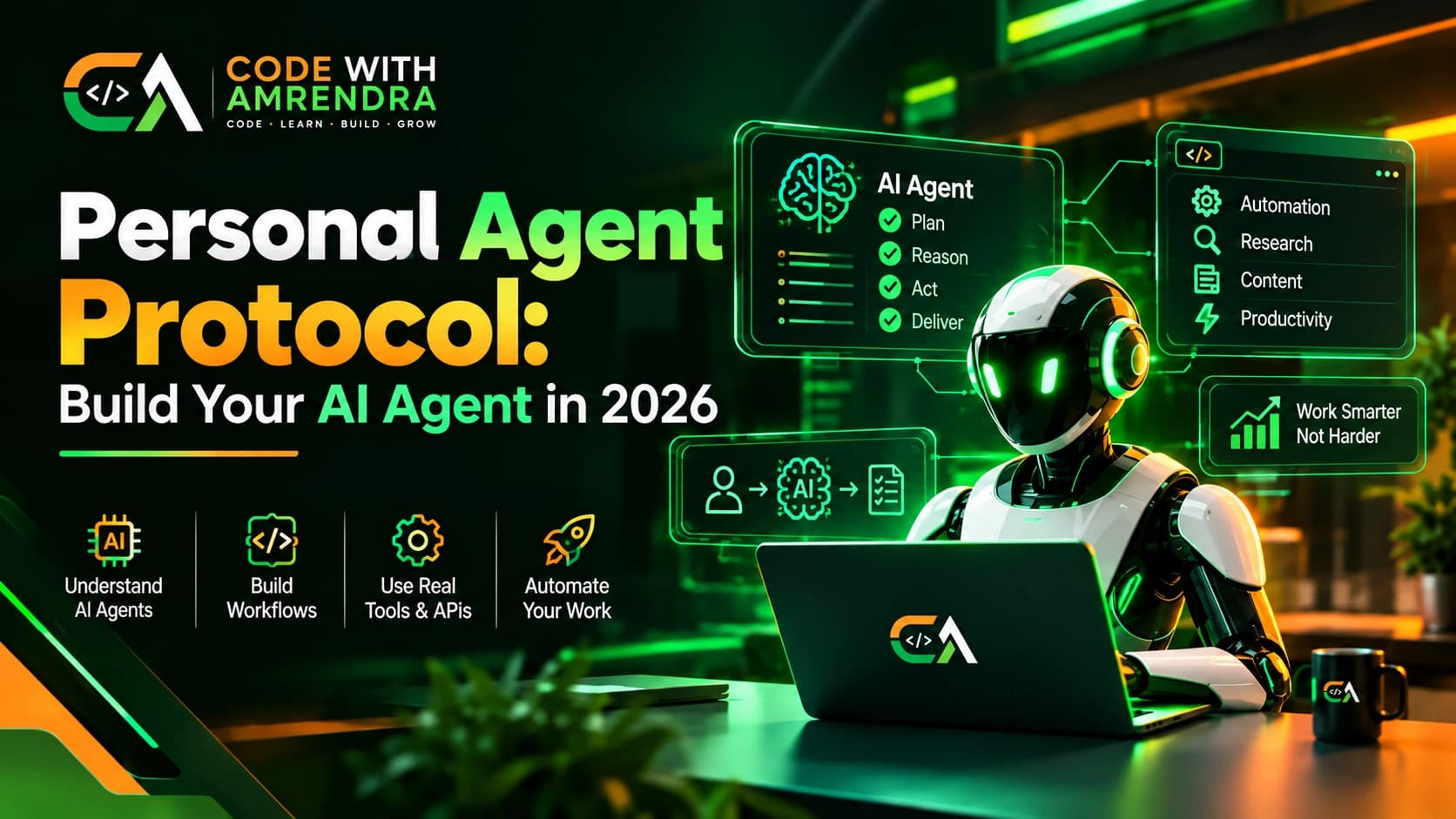
You can also browse more practical guides in our AI Agents category, including the Personal Agent Protocol guide.
FAQs
1. How do I build a personal AI agent?
Pick one task, choose an LLM that supports tool calling, write a simple loop, add two or three tools, save useful facts as memory, then add guardrails and tests. Start small and only expand your agent once the tests pass.
2. What is a personal AI agent?
A personal AI agent is software that uses an LLM to work toward a goal for one person. It picks the next step, uses tools like your calendar or notes, checks the result, then finishes the job or asks you.
3. What components does an AI agent need?
An AI agent needs six parts: an interface, an orchestrator, an LLM, tools, memory and monitoring. The orchestrator runs the loop and enforces rules, while the other parts handle requests, reasoning, actions, continuity and logging. Keep each part very small.
4. How does AI agent memory work?
AI agent memory has two parts. Short-term memory is the current conversation sent with each request. Long-term memory lives in a file or database and loads only when needed. Store only useful facts, never passwords, payment data or private journals.
5. How do AI agents use tools and APIs?
The model asks for an action, and your code decides whether to run it. Your code checks an allow-list, asks for approval on risky actions, runs the tool, then sends the result back to the model so it can continue.