

Disclosure: I'm a developer who works with React, Next.js and AI agents, and I offer AI automation services, so I have a business interest in this topic. AI tools helped with research and drafting, and I reviewed the article before publishing. Standards in this space change fast; check the official specs linked below.
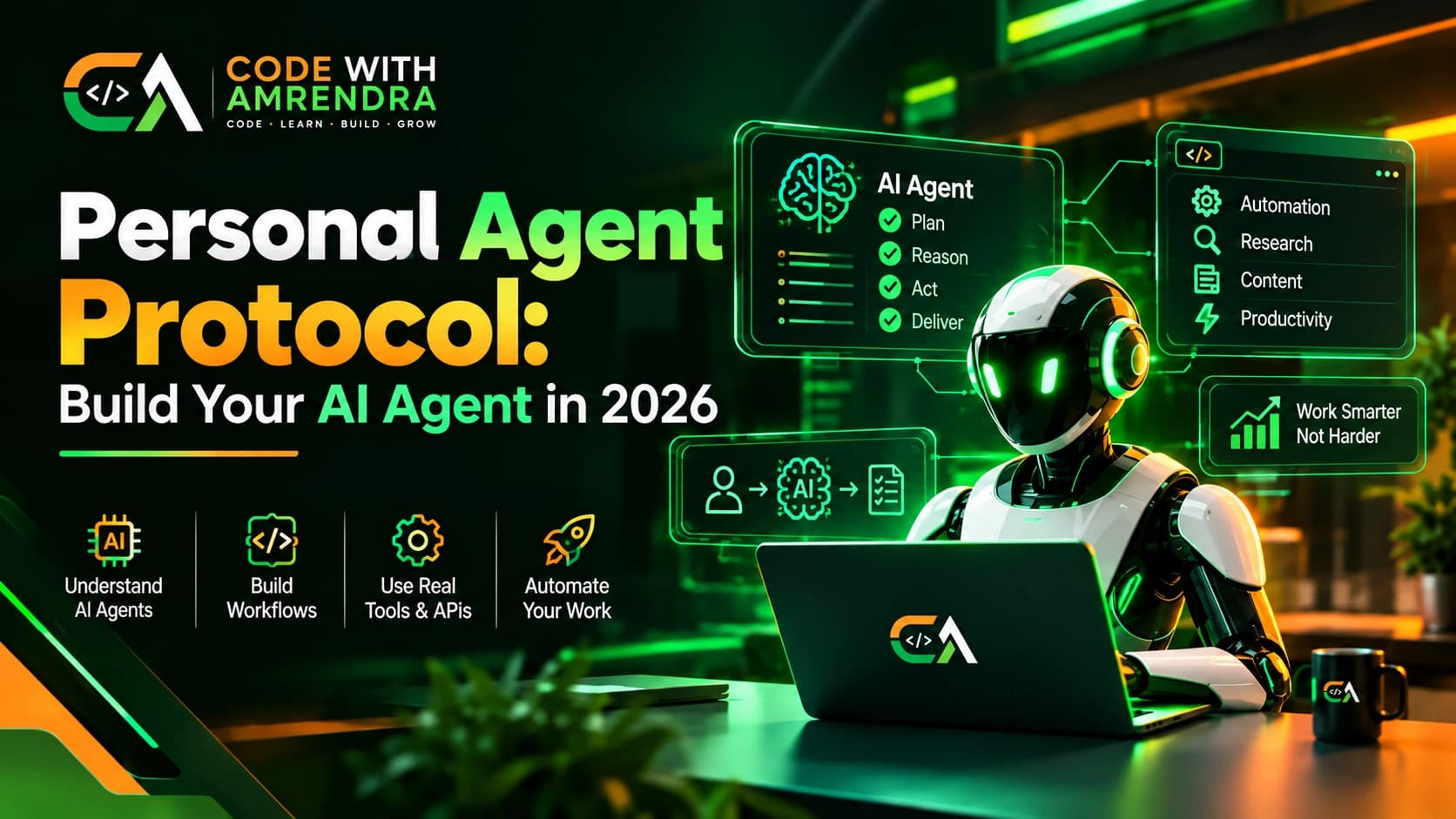
The "personal agent protocol" is not a specific standard. Rather, it is the set of rules by which your personal AI agent knows what it is allowed to do, what it may remember, and what it needs to ask you about. These are created by defining a goal, memory, tools, permissions, and a review loop, using open standards such as MCP and A2A for the connections.
Key Highlights
- A personal agent protocol is a design contract, not a downloadable product.
- Five parts cover it: goal, memory, tools, permissions, review loop.
- Start with one workflow, not a do-everything assistant.
- Real agent standards exist today: MCP (tools), A2A and ACP (agent-to-agent).
- Who should read this: developers and founders planning a first agent. Skip the framework section if you only want the concept.
What Is a Personal Agent Protocol?
A personal agent protocol can be defined as a set of rules established for the specific behavior of your personal AI agent. Such instructions concern inputs, decisions, actions, and restrictions.
It is not a standard specification because there are none established. What IBM's overview actually lists are the growing number of actual AI agent protocols.
These include Agent2Agent (A2A), Agent Communication Protocol (ACP), Agent Network Protocol (ANP), AG-UI and Model Context Protocol (MCP).
So you can think of your personal protocol as the next level up from these standards. They specify the underlying technology infrastructure while you define the behavior above that.
Personal AI Agent Protocol: The 5 Core Parts
A working personal AI agent protocol has five parts, and each one answers a single question.
- Goal: What job does this agent do? Write it in one sentence.
- Memory: What should it remember, and for how long?
- Tools: Which APIs and actions can it call?
- Permissions: What can it do alone, and what needs your approval?
- Review loop: How do you check its work and correct it?
AI Agent Architecture: How the Pieces Fit
A basic AI agent architecture has three layers: a large language model (LLM) for reasoning, a tool layer for actions, and a memory layer for context.
- Reasoning: The LLM reads your request and plans steps. This is AI inference plus AI reasoning.
- Tools: The agent uses tool calling (also called function calling) to hit your calendar, email or database through API integration.
- Memory: Persistent memory stores facts across sessions. Context management decides what goes into each prompt.
Start with one agent, three or four tools and one memory store. Multi-agent systems and agent orchestration can wait. If you want the architecture trade-offs in plain terms, my post on microservices vs modular monolith uses the same "start small" logic.
Step-by-Step AI Agent Development Workflow
Build in this order so each step can be tested alone.
- Pick one task. Example: sort your inbox and draft replies.
- Choose a model. Any strong LLM with reliable tool calling works.
- Add tools through MCP. MCP is the common way to connect an agent to tools and data.
- Add memory. Start with a simple notes file or database before a vector store.
- Set permissions. Read-only first. Allow writes only after you trust the output.
- Add the review loop. Log every action so you can audit it.
This is a typical AI agent workflow for task automation. For a deeper look at scope and spend, read the AI agent development cost guide for 2026.
AI Agent Framework Options Compared
Pick a framework by how much control you need, not by hype.
| Approach | Best for | Control | Setup effort |
|---|---|---|---|
| Custom code (LLM API + your tools) | Developers, simple agents | Highest | Medium |
| LangChain-style agent framework | Faster prototypes, RAG | High | Low to medium |
| No-code automation tools | Non-developers, basic flows | Low | Low |
| Multi-agent framework | Complex, multi-step systems | Medium | High |
For a first personal AI assistant, custom code or a light framework is usually enough. No-code tools hit limits once you need custom permissions.
How Agents Talk to Each Other: MCP, A2A and ACP
Use MCP for agent-to-tool linkages and adopt either A2A or ACP as the standard for agent-to-agent communication.
According to the overview at IBM, Google announced A2A, and it is now governed by the Linux Foundation. On the other hand, ACP originated from IBM's internal project BeeAI and is also governed by the Linux Foundation.
As most of today's autonomous agents primarily need access to various tools, the agent-to-agent standard can be added later.
Hidden Costs, Mistakes and Red Flags
Most personal agents fail from poor limits, not weak models.
- No permission boundaries. An agent that can send email can also send the wrong email. Require approval for anything irreversible.
- Memory bloat. Storing every chat makes answers worse. Save facts, not transcripts. Research like the SemaClaw paper argues personal agents need structured long-term memory, not piled-up dialogue.
- Vague goals. "Help me with work" is not a task. "Draft replies to client emails" is.
- Skipping logs. Without an action log, you cannot debug or trust the agent.
- Surprise API bills. Long contexts and loops raise token usage. Set spending caps early.
Conclusion
A personal agent protocol is defined by its goal, memory, tools, permissions, and review process. One should be built around a single workflow, utilize open standards for connections, and have a human-in-the-loop for reviewing potentially unethical decisions.
The first step towards building a personal agent is compiling the five components on a single page. This should be done before any code is written. Those who need assistance in transforming this page into an actual agent are welcome to contact the author or research AI agents further.
FAQs
1. What is a personal agent protocol?
A personal agent protocol is a set of rules for your AI agent. It defines the goal, memory, tools, permissions and review steps. It is not an official standard. You write it yourself to control what the agent can do.
2. How do I build my own AI agent in 2026?
Pick one task, choose a language model, connect tools through MCP, add simple memory, set permissions, and log every action. Start small with read-only access. Add more abilities only after you trust the results, and review the logs every week.
3. Is a personal AI agent protocol an official standard?
No, it is not an official standard. It is a design approach that you create for your own agent. Real standards do exist today for connections, such as MCP for tools and A2A or ACP for agent to agent talk.
4. What is the difference between MCP and A2A?
MCP connects an AI agent to tools and data, like your calendar or database. A2A connects one agent to another agent. A single personal agent needs MCP first, and A2A only when you run several agents. That keeps setup simple.
5. What are the main parts of an AI agent architecture?
A basic AI agent architecture has three layers. A large language model (LLM) handles reasoning, a tool layer takes actions, and a memory layer stores context. Permissions and logs sit on top to keep the whole agent safe and predictable.
6. Do I need to know coding to create an AI agent?
Not always. No-code automation tools can run simple flows without any coding. But if you want custom permissions, your own memory setup, or tight control over actions, you will need some basic coding skills. Many beginners start with no-code first.
7. How does agent memory work in a personal AI assistant?
Agent memory saves useful facts so your assistant remembers them in later chats. Context management then picks which facts go into each prompt. Save short, useful facts, not full chat transcripts, or answers get worse over time and cost more.
8. What is the best AI agent framework for beginners?
For beginners, custom code with a language model API or a light framework like LangChain is usually enough. No-code tools are easier to start with, but they hit limits once you need custom permissions. Pick based on control, not hype.
9. What are the biggest mistakes when building an autonomous AI agent?
The biggest mistakes are giving no permission limits, using vague goals, storing every chat as memory, skipping action logs, and ignoring API costs. Keep a human check on anything risky, like sending emails or payments. Fix these before you launch.
10. Should I start with a multi-agent system or a single agent?
Start with a single agent. Get one workflow working well with three or four tools and one memory store. Multi-agent systems and agent orchestration add complexity, so add them only after the first agent is reliable. This keeps things safer.